
The most popular advice about demo agendas is to divide the meeting into introductions, product overview, feature walkthrough, and questions. That produces a tidy calendar invite, but it still follows the product menu. The buyer needs answers to decision questions, not a guided tour of your navigation.
A useful demo agenda template starts with the decision the buying committee needs to make. As a Solution Engineer (SE), your job is to earn the technical win through buyer-validated evidence. Discovery quality, not demo polish, decides whether you have a credible path to that outcome.
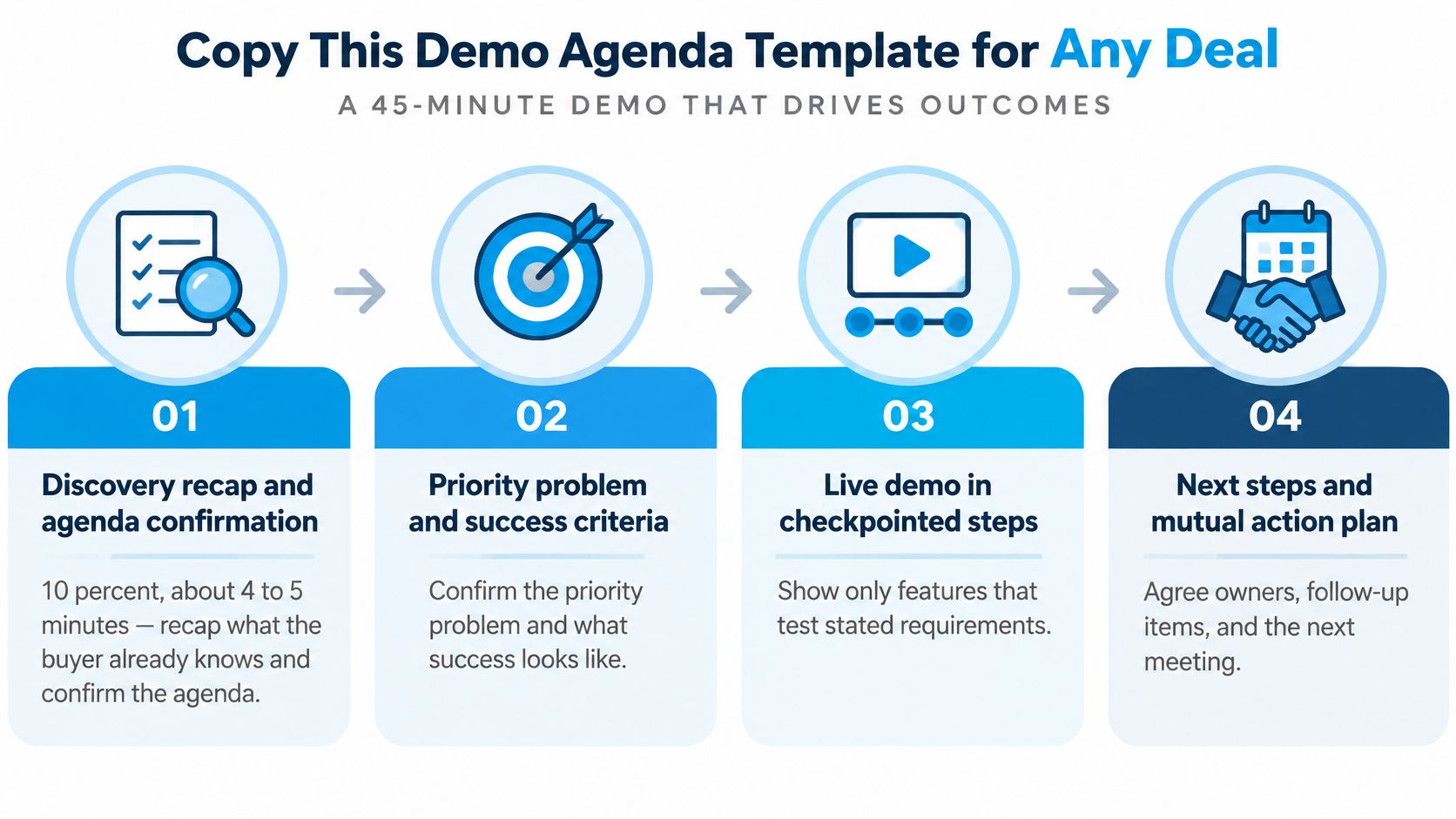
Copy This Demo Agenda Template for Any Deal
Use these blocks as a starting point, then assign each one a buyer question, a presenter, and an output. Don't treat the percentages as targets you must hit regardless of the conversation.
Demo agenda template at 30, 45 and 60 minutes
| Block | Share of time | 30 min | 45 min | 60 min | Output before you leave |
|---|---|---|---|---|---|
| Discovery recap and agenda confirmation | 10% | 3 min | 4–5 min | 6 min | Agreed priority problem and success criteria |
| Workflow demonstration | 60–70% | 18–21 min | 27–32 min | 36–42 min | Buyer's workflow shown end to end on their scenario |
| Proof of business or technical outcome | 15–20% | 5–6 min | 7–9 min | 9–12 min | Result the buyer confirms against their criteria |
| Decision and next steps | 10% | 3 min | 4–5 min | 6 min | Dated next action with a named owner |
These allocations follow the practical operating model described by Motion The Agency's product-demo guidance, not a universal benchmark. The ranges are alternatives, not amounts to add at their upper limits. For a hypothetical 45-minute session, allocate 4 minutes to confirmation, 29 to workflow, 8 to proof, and 4 to the decision.
The process stays focused on problem confirmation, relevant demonstration, and an agreed action.
Make the opening and close earn their time
Motion The Agency's analysis of 1,750 B2B product demos found that question-led openings reached the top engagement quartile 40% of the time, compared with 26% across all demos; it also found that 54% lacked a clear call to action. Those findings support changing the opening and close, not polishing the middle.
Start by confirming the buyer's priority problem and what acceptable performance looks like. Name the workflow you'll demonstrate, then select only the capabilities that test those criteria. The buyer should understand why each transition matters before you click.
Remove company history from the opening unless the buyer has a specific supplier-risk question. Remove the generic invitation for questions from the close. Questions belong throughout the meeting; the ending needs a decision.
Practical rule: Every agenda block needs an output you can record. Presenter activity isn't a buyer outcome.
Paste the blocks, minutes, intended decision, and presenter ownership into the calendar invite. Ask attendees to correct the agenda before the meeting, especially if the proposed workflow misses a requirement. That correction is useful discovery, not an inconvenience.
Pull Discovery Inputs into the Agenda
No discovery, no demo. If you can't explain what the buyer needs to validate, you're scheduling product exposure rather than an evaluation.
HubSpot's pre-call planning guidance covers the current process, pain points, desired outcomes, decision process, timeline, stakeholders, budget, and authority. Turn those inputs into agenda choices rather than leaving them buried in CRM notes.
- Priority problem. Capture the buyer's wording. Use it to frame the opening, including what happens if they leave the problem unresolved.
- Success criteria. Attach a measurable threshold wherever possible. This determines which capabilities deserve live time and what evidence you must prepare.
- Current process. Identify the workflow being replaced, including handoffs and exceptions. Start the walkthrough where the buyer's work begins, not on your home screen.
- Decision and approval path. Establish who validates fit and who approves the purchase. Shape the closing conversation around those responsibilities.
- Timeline and trigger. Find the event behind the deadline. A renewal, migration, or operational constraint changes which implementation questions need attention.
- Budget and authority. Record what's known and unknown. Don't fill a technical session with commercial detail when nobody present can validate its assumptions.
- Integrations and security constraints. Identify dependencies that could block adoption. Prepare a separate technical segment when a product walkthrough can't answer them.
- Pre-submitted questions. Put potential blockers early. Don't ask a buyer to watch the entire workflow before learning whether a hard requirement can be met.
Use an explicit readiness gate
An unknown isn't automatically a reason to cancel. An unknown priority problem is. You can investigate an integration during evaluation, but you can't design a meaningful evaluation around an unconfirmed business need.
Write the priority problem and success metric in two sentences before preparing the environment. If you can't, return to discovery rather than compensating with more slides.
Use the technical discovery questions to expose missing dependencies, and the Discovery call guide to structure the conversation. The agenda should reflect what you learned, including reasons the opportunity may not deserve a demo yet.
Map Each Attendee to the Question They Need Answered
Attendee roles, decision questions and time allocation
The following is a hypothetical planning menu for a 45-minute demo. Select relevant allocations inside the workflow and proof blocks. Don't add every row together.
| Attendee | Decision question | Evidence to show | Time to allot |
|---|---|---|---|
| End user or daily operator | Will this save me time in my daily work? | Their own scenario run end to end | 15–20 min |
| Technical evaluator or architect | Does it fit our stack and data model? | Integration path, API or sandbox test | 5–8 min |
| Security reviewer | Does it meet our controls? | Access model, SSO, data flow and certifications | 3–5 min or follow-up |
| Finance or procurement | What does it cost to own, and when does it pay back? | Implementation effort, ROI model and contract terms | 3–5 min or follow-up |
| Executive sponsor | Does it move the metric we agreed on? | Result measured against the success criteria | 3 min at the close |
| Administrator | Can we run it without a specialist team? | Admin console, roles and reporting | 3–5 min |
Before the meeting, replace role labels with names. Then identify who can accept the evidence, not merely who wants to see it.
Apollo's guidance on addressing questions before a demo recommends handling pre-submitted questions and accounting for buying-committee roles. For a repeatable preparation aid, The Social Search's resource on committee-aware buyer personas provides useful context for separating participants by decision responsibility rather than job title alone.
Separate blockers from preferences
A data-residency requirement and a preferred dashboard layout don't deserve the same treatment. Record hard requirements with a validator and acceptable evidence: a live test, sandbox result, architecture review, or completed security questionnaire.
Preferences can inform adoption, but they shouldn't displace a blocking requirement. Ask whether the issue prevents selection or changes how the buyer would configure the product.
Gartner's buyer-enablement guide reports that supplier meetings account for only 17% of buyers' total purchasing time. Use the meeting to produce evidence attendees can carry into internal discussions, not explanations they must reconstruct afterward.
Allocate attention without fragmenting the workflow
In a hypothetical 45-minute session, give the operator 20 minutes of workflow and the security reviewer 5 minutes on the access model. If finance lacks the assumptions needed to assess payback, assign a named finance owner to a follow-up instead of improvising an ROI claim.
Reserve a timeboxed slot for unresolved cross-functional risk and name its owner in the invite. When roles disagree, record the conflict explicitly. A security-approved workflow that operations won't adopt is still an unresolved evaluation.
Choose the Right Agenda for Each Deal Stage
Choose the agenda path by its trigger: an initial evaluation, prior self-serve exploration, a new stakeholder's requirement, or agreement to scope a pilot. Don't use the same walkthrough for all of them.
The Consensus Buyer Behavior Report discusses modular, personalized, and interactive demo experiences. The practical implication is straightforward: ask what the buyer has already explored before deciding what to show live.
Agenda paths by deal stage and buyer context
| Agenda path | When it fits | Keep | Cut or replace |
|---|---|---|---|
| First-time live evaluation | Problem confirmed, buyer has not used the product | Full four-block template and three to five mapped capabilities | Generic opening; replace with the buyer's own data |
| Follow-up after self-serve exploration | Buyer watched a micro-demo or used a sandbox | Only workflows, integrations or open questions the buyer raised | Repeated product tour; replace with the buyer operating one step |
| Stakeholder validation | New attendee or a risk from security, finance or IT | The requirement under review and its evidence | Full walkthrough; replace with a hypothetical 20-minute focused session |
| Pilot scoping | Buyer agrees to a proof of value | Success criteria, data access, owners and an end date | Open-ended exploration; replace with a fixed exit rule |
The capability count is a preparation constraint, not a reason to add unrelated functionality. In each path, keep only what contributes to the decision.
Use the planning conversation to distinguish missing context from missing evidence.
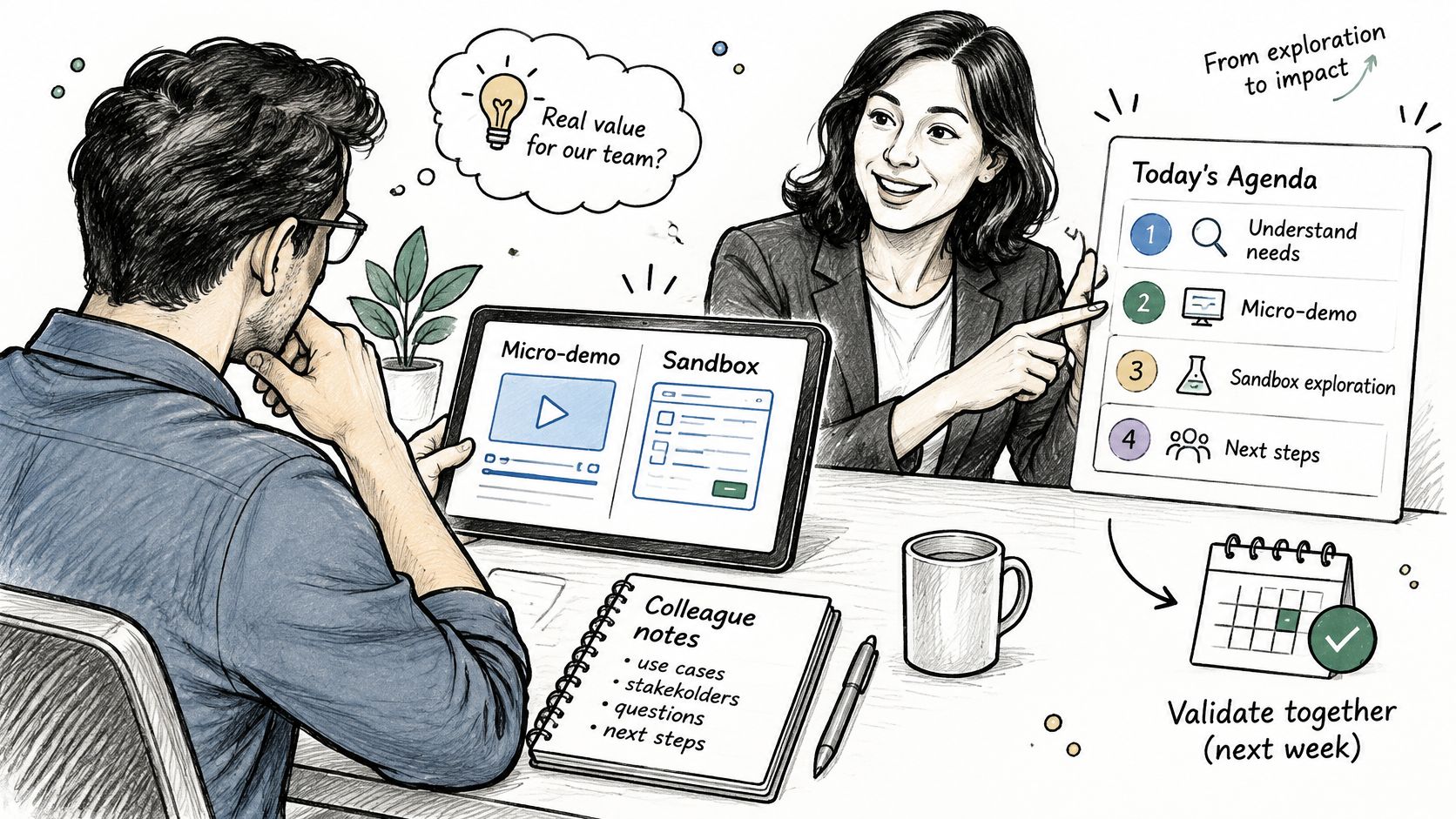
Shorten the meeting when the decision is narrower
For self-serve follow-up, ask what confused the buyer, what they couldn't test, and what they need another stakeholder to approve. Engagement history can guide your questions, but a clicked screen doesn't prove understanding or purchase intent.
For stakeholder validation, send context beforehand and focus live time on the unresolved requirement. A new security reviewer doesn't automatically need the operator's entire workflow.
Pilot scoping needs a different artifact: an evaluation plan with access requirements, responsibilities, acceptance evidence, and an end date. If you're comparing presentation approaches, use these demo examples to select a format that fits the buyer's task.
Once the buyer has validated the requirement, stop demonstrating it. Move to the remaining decision.
How to Run the Live Demo in Checkpointed Steps
- Confirm the problem and success criteria. Ask the buyer to correct your summary before opening the product. State what the session can validate and what will require separate evidence.
- Name the workflow and its checkpoints. Explain the starting state, target state, and where you'll pause. Make it clear when the operator, architect, or sponsor needs to assess a result.
- Build observable tasks. Navattic's interactive-demo guidance recommends flows of roughly 5–13 steps, with shorter 1–6-step flows often achieving the highest completion, and two to four clearly signposted aha moments. Those findings concern interactive-demo usability, not live-call purchase intent.
- Validate outputs as you go. After each task, identify what changed and ask a specific question. Ask whether the approval reached the correct role, whether the record retained required fields, or whether the exception appeared where expected.
- Tie proof moments to requirements. A fast search is relevant only if retrieval time matters to the buyer. Make the result observable, then connect it to the criterion they supplied.
- Use realistic records. Prepare representative fields, permissions, volumes, and exceptions with approved or sanitized data. Ask the buyer to explain whether the observed result fits their process.
- Rehearse the exact path. Test integrations, user roles, and reset behavior in the sandbox. Keep a recording or screenshots of that same workflow ready, rather than an unrelated marketing video.
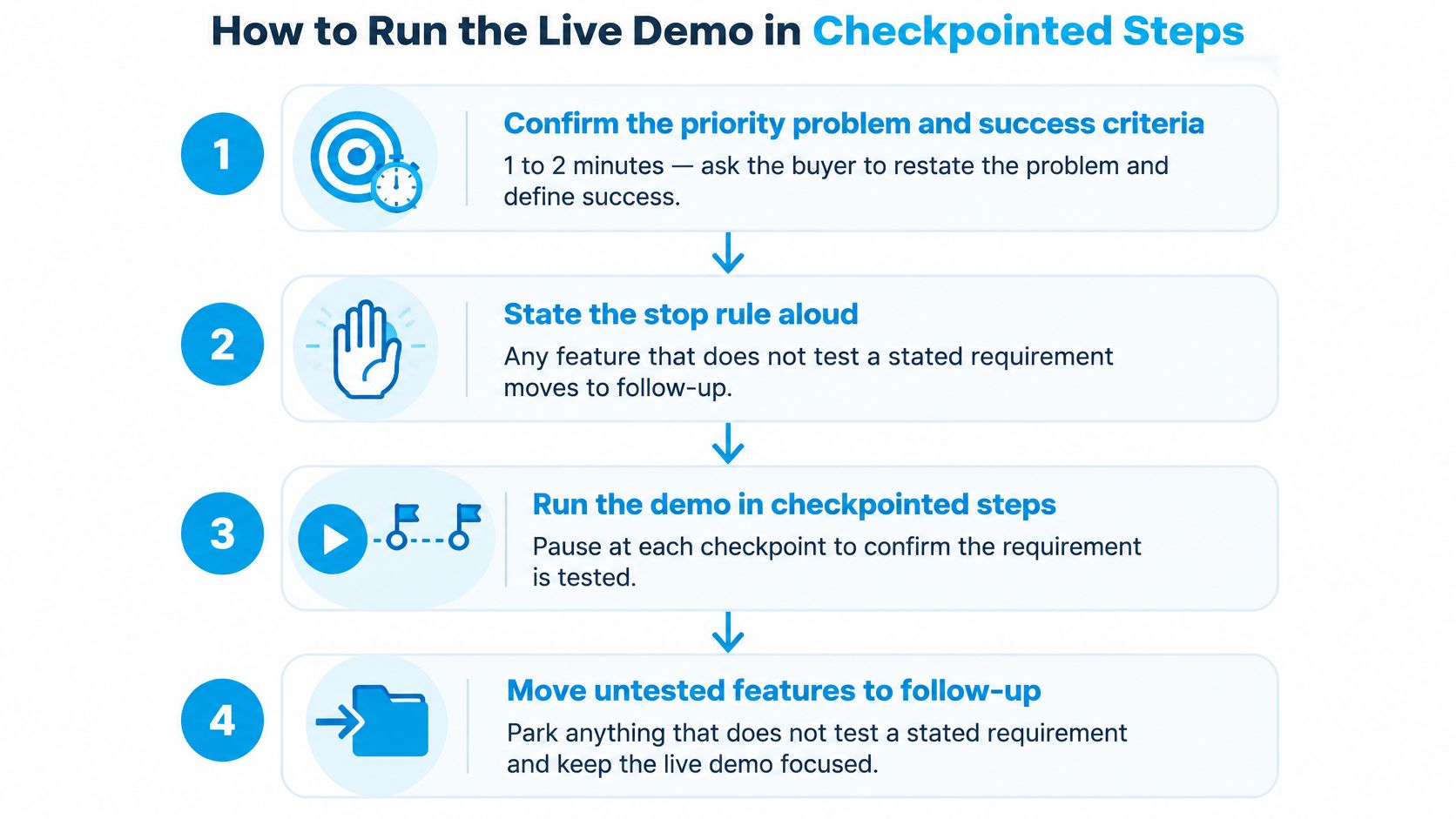
Keep the operating sequence visible in your presenter notes.
Enforce the stop rule without dismissing the buyer
State the stop rule aloud: any feature that doesn't test a stated requirement moves to follow-up. When someone requests a detour, ask which decision the feature would help them make.
If it reveals a new blocker, change the agenda deliberately. Confirm what you'll cut and who needs the new evidence. Don't promise to fit everything into the remaining time.
Label each segment by the buyer's task, such as exception review or access validation. Someone returning from a distraction should be able to rejoin without asking you to restart.
Prepare an honest exception path
If the live environment fails, identify the failure and switch to the prepared fallback. Explain what the recording demonstrates and what remains unvalidated in the buyer's environment.
A screenshot can support an explanation of configuration. It can't establish that an integration worked live. Record that distinction in the follow-up.
Use the video as a separate practice aid when rehearsing delivery.
Afterward, record task completion, questions per stage, share of requirements demonstrated, and buyer-confirmed criteria. Capture the buyer's wording at the proof step, especially qualifications such as acceptable only if a particular control is available.
For broadcast-style sessions, LearnStream's guidance on measuring webinar results after delivery offers adjacent measurement context. Keep the distinction clear: attendance and interaction describe engagement; requirement acceptance supports the technical win.
Close with Decision Criteria and a Dated Next Step
A vague close leaves the account team with sentiment instead of evidence. Asking whether anyone has questions invites a polite ending, not a decision about what the buyer has validated.
MEDDPICC defines Decision Criteria as the standards buyers use to judge a solution against alternatives, including doing nothing. Examples include payback period, return on investment, total cost of ownership, implementation time and cost, and contract flexibility.
Check the criteria that apply to this session. Don't claim economic validation because an operator liked the workflow, or technical acceptance because the executive sponsor approved the business direction.
Separate acceptance from purchase mechanics
Ask the relevant validator which criteria are met, which failed, and which remain untested. Record conditions attached to acceptance, including dependencies on configuration, implementation effort, or security approval.
Then confirm the Economic Buyer, Decision Process, and Paper Process. You need to know who approves, how the organization reaches a decision, which validation steps remain, and what contracting work follows.
The MEDDPICC guide for Solution Engineers explains how those elements fit the wider qualification model. Your role is to make the technical evidence useful to that process, not to declare the purchase complete.
Write the next action while everyone is present
Capture the next step with these parts:
- Agreed outcome. State the decision or deliverable the next activity must produce.
- Remaining evidence. Identify the test, document, or assumption still needed.
- Participants and owners. Name who supplies the evidence and who accepts it.
- Date or trigger. Agree when the action happens or what event starts it.
In a hypothetical close, replace a request to share feedback with a concrete agreement: the security reviewer sends data-flow questions by Thursday, and the team reconvenes Tuesday at 10:00 with finance to test the payback model. Confirm that those people have accepted the work before recording it as a commitment.
Use a mutual action plan template when several dependencies need coordination.
Qualification check: A next meeting without an intended decision is another meeting, not evidence of deal progression.
If no credible next step emerges, don't advance the opportunity by habit. Determine whether you're missing a stakeholder, a business priority, or a reason to proceed. Qualify it out when the buyer has no supported evaluation path.
Run Your Next Demo on This Template
Before the invite goes out, apply these readiness gates. A blank field is preparation work, not something to hide with a polished introduction.
- Discovery captured. The priority problem, success metric, current process, and buying context are documented.
- Attendees mapped. Each participant has a decision question, and each hard requirement has a validator.
- Agenda path chosen. The session matches the buyer's evaluation stage rather than your standard deck.
- Boundaries written. The stop rule, checkpoints, and fallback evidence are in the presenter plan.
- Next action drafted. You have a proposed outcome, owner, and date to negotiate with the buyer.
Review the weak block after delivery
After the demo, note which block ran over and why. Distinguish a preparation failure from valuable new discovery: an untested integration is different from a newly disclosed approval requirement.
Rebuild the weak block first. If you repeatedly run out of proof time, cut demonstration scope rather than speaking faster. If the close produces no commitment, inspect qualification before changing the closing slide.
Trusted Advisor Academy members apply frameworks to current deals and receive feedback on their own discovery calls, demos, and POCs. That gives you a practical way to test the agenda against an active opportunity rather than a fictional exercise.
You can book a discovery call with no commitment. Bring the opportunity's priority problem, attendee list, and intended decision so you can discuss where this approach would fit.
PreSales Unleashed GmbH offers structured PreSales development through the Trusted Advisor Academy, including practice and feedback tied to active deals. Visit PreSales Unleashed GmbH to explore support for turning discovery inputs into focused demos, buyer-validated evidence, and a defensible technical win.